| От | Jürgen Spatz |
|---|---|
| Тема | Re: pgadmin4 3.2 don't start on windows 10 |
| Дата | |
| Msg-id | 5b8cc0ba-3468-a113-c2b5-2f27498373cb@gmail.com обсуждение |
| Ответ на | Re: pgadmin4 3.2 don't start on windows 10 (Aditya Toshniwal <aditya.toshniwal@enterprisedb.com>) |
| Список | pgadmin-support |
Ah, it seems, that there is a problem with php.
I already installed win-sdk-developer package
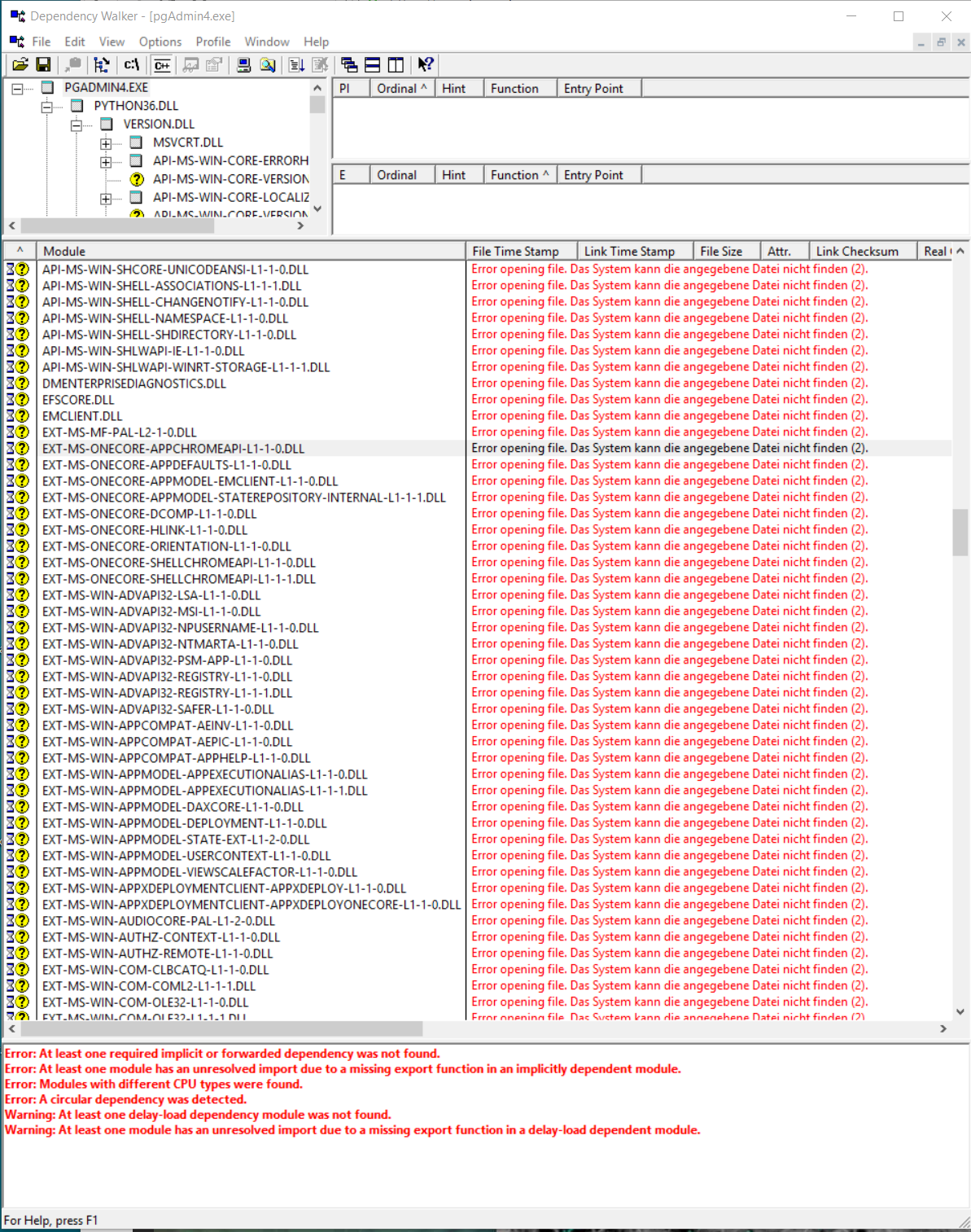
Hi,Can you please download Dependency Walker (http://www.dependencywalker.com/) and load the pgAdmin 4 executable into it? This will give more information if any dependency is missing.On Thu, Aug 23, 2018 at 3:28 PM, Jürgen Spatz <juergen.spatz.2702@gmail.com> wrote:Hi all,
is there nobody who has an idea, what I could do ?
As already written, my pgadmin 4 3.2 don't start on windows 10. I had a V2 on the machine but deinstalled it.
I deleted everything, (incl the appdata folder) from the machine, installed the pgadmin new but nothing.
I tried to switch the debug mode on, nothing, no pgadmin4.log file is created.
I posted the error message from the windows log, which said that there is a problem with the C:\WINDOWS\System32\ucrtbase.dll
so far, but nothing worked. the tray icon appears some seconds and then its gone.
Thanks and greetings--Thanks and Regards,Aditya ToshniwalSoftware Engineer | EnterpriseDB Software Solutions | Pune"Don't Complain about Heat, Plant a tree"
В списке pgadmin-support по дате отправления:
Сайт использует файлы cookie для корректной работы и повышения удобства. Нажимая кнопку «Принять» или продолжая пользоваться сайтом, вы соглашаетесь на их использование в соответствии с Политикой в отношении обработки cookie ООО «ППГ», в том числе на передачу данных из файлов cookie сторонним статистическим и рекламным службам. Вы можете управлять настройками cookie через параметры вашего браузера